
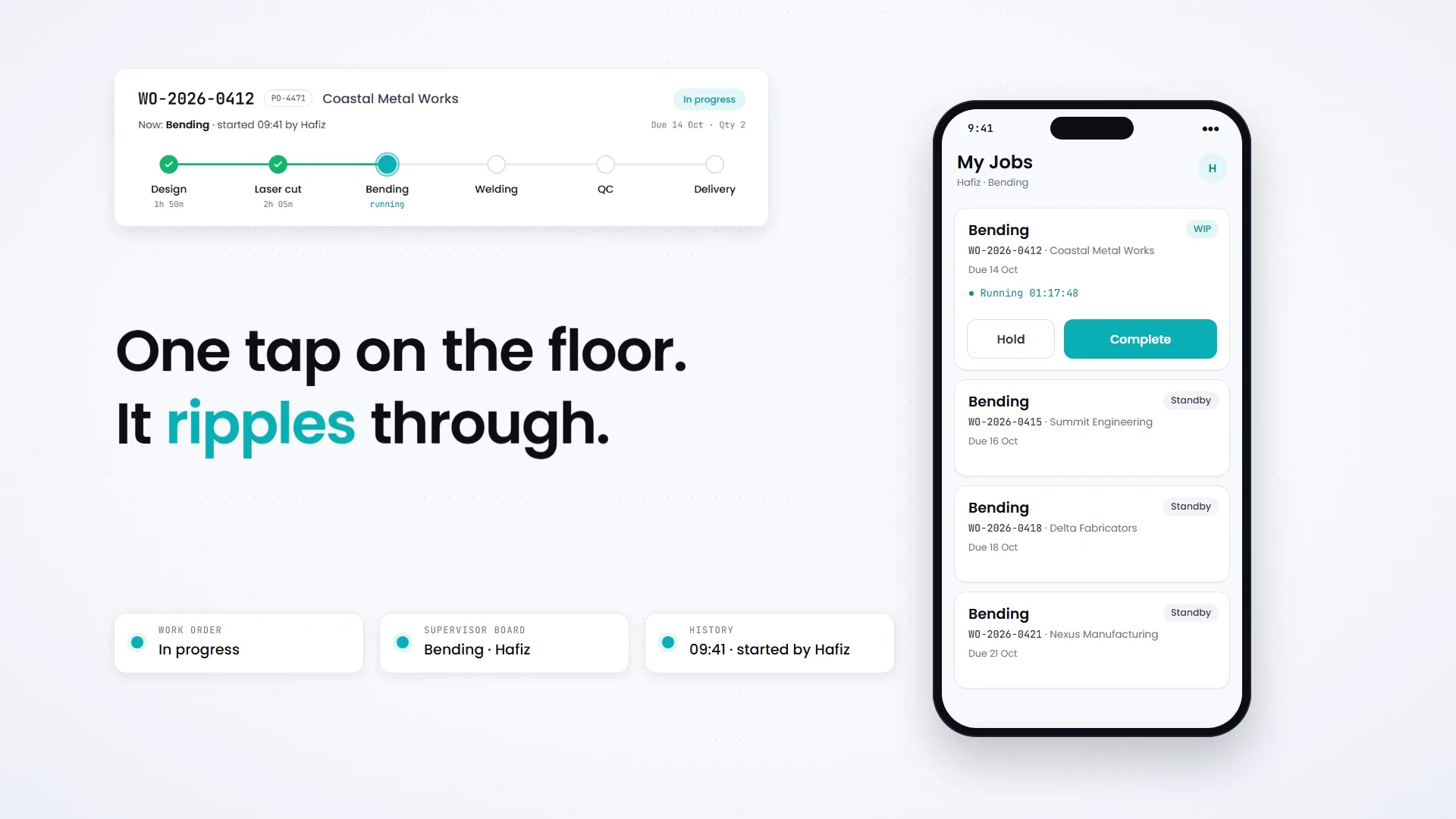
One tap on the floor. The whole operation knows.
YARA turns the work your team already does into live order status, real working time and a complete record of every job. Workers tap Start, Hold or Complete on their phone. Everything else updates itself. No forms, no chasing, no ERP.
- Updates
- 1 tapto start, hold or finish a job
- Reporting
- 0 formsstatus, time and history fill themselves in
- Process
- Your stagesset up by your admin, not written in code
- Languages
- EN · BMworker app in English and Bahasa Malaysia
From order to done, in seven moves.
Scroll, and the film plays with you. Each step is what YARA actually does. Nothing here is a mock-up of a feature that doesn't exist.
-
01 · ORDERS
Every order becomes one Work Order
A PO arrives. Today it becomes a row on a worksheet, a message thread and a phone call. In YARA it becomes one Work Order with its customer, PO number, quantity, due date and priority.
- One PO can hold many parts, each tracked as its own Work Order under one Project
- Customers are created as you go and can be merged if duplicated
- Attach drawings and documents to the order
-
02 · STAGES
It runs through your stages, not ours
Design, Laser cut, Bending, Welding, QC, Delivery. Or Survey, Install, Test, Handover. Your admin sets the stages in the app and can change them any time, no developer needed.
- Add, remove and reorder stages per company
- Require a photo or a document before a stage can close
- Checklists per stage, reusable as templates
-
03 · ONE TAP
Workers tap Start. That's the update.
Each worker sees only their own jobs, in the order to do them. One tap on Start stamps the time and moves the Work Order to In progress. The supervisor's board and the history update in the same moment.
- Works in the phone's browser, installable to the home screen
- Big buttons, one job at a time, in English or Bahasa Malaysia
- No end-of-day report. The work is the report
-
04 · ON THE FLOOR
Priorities, proof and holds, handled where the work is
The office marks an order urgent and it rises in the worker's queue, but the job they're running keeps its place. Completing a stage can require a photo, and releases the next stage automatically. A hold records why and stops the clock.
- Queue order: active work, then ready jobs, by priority, due date and arrival
- A stage can't start before the one before it is complete
- Hold reasons are your own list, such as waiting material or machine down
-
05 · THE TRAIL
Every job leaves a trail
Who did each stage, when, and for how long, recorded as the work happens. YARA counts working time only inside your shifts, and leaves out holds, nights and weekends.
- Working calendar with shift patterns and holidays
- Plan versus actual per stage against your standard hours
- Full activity log. Nobody writes anything down
Clock time says 31h 20m. Working time says 10h 40m. Only one of those is what the job cost.
-
06 · ATTENTION
Managers see only what needs them
Instead of a dashboard to decode, a short list: the stage running past plan, the order due tomorrow with two stages left, the job that's been ready for six hours and nobody started. Deal with those, leave the rest running.
- Alert thresholds you set, such as amber at 100% and red at 120% of plan
- Work that is ready but not started surfaces on its own
- Notifications to the people who can act
-
07 · ROLES
Everyone sees their part
Workers see their jobs. Supervisors see their orders by stage. Owners and operations managers see the whole business, including order values and job costs, and nobody else does.
- Enforced in the database, not just hidden on screen
- The same rule applies to CSV exports
- Deactivating someone locks them out immediately
Straight answers.
The questions operations teams ask first. Anything else: [email protected]